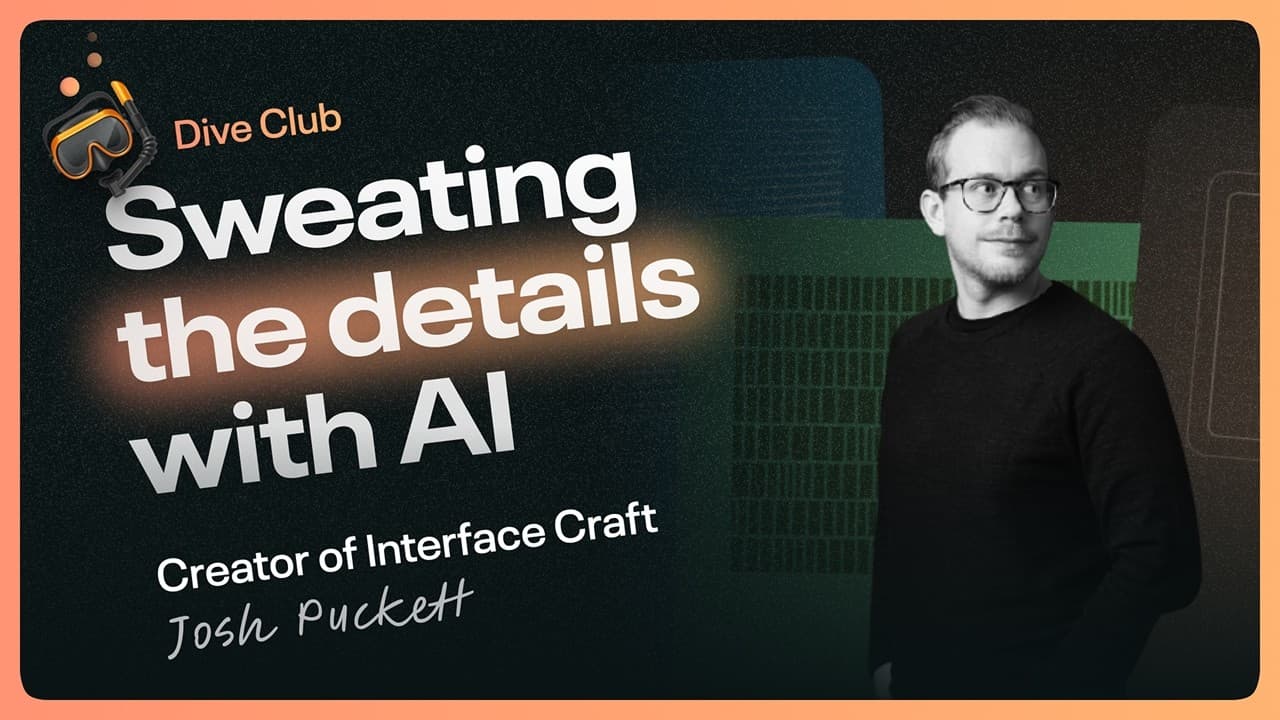
Crafting Interfaces with Uncommon Care: Lessons from Interface Craft
I recently dove into a fascinating discussion with Josh Puckett, who shared invaluable insights from his "Interface Craft" library on how to design and build interfaces with "uncommon care." This philosophy isn't just about aesthetics; it's about building trust, increasing perceived value, and fostering user affinity by going the extra mile. In an age where AI tools allow us to explore more surface area and get there faster, the opportunity isn't to create more scope, but to execute essential scope to an unprecedented bar.
The Philosophy of Uncommon Care
Uncommon care in design manifests in the small, often unexpected details that communicate a designer's deep dedication to the user experience. These details build trust and perceived value, increasing a user's affinity for a product because it works "just a little bit better or differently than you expect it to." It’s about communicating to your user:
"I value you, your time, and I care about you."
With powerful AI tools at our disposal, we can now push towards a future where we take limited, essential scope and execute it to a bar "folks maybe haven't have never seen before."
Case Study: The Interface Craft Onboarding Flow
Josh walked us through the onboarding flow for Interface Craft, which is a prime example of world-class design rooted in uncommon care. The initial goal was to make the onboarding "special" and encourage virality on platforms like design Twitter.
The core idea was to give every user a customizable "library card." This wasn't just a static token; it was designed to be a piece of self-expression.
Iteration and Evolution of the Library Card
Early explorations started simply. Josh initially considered "What if I just had like five cards and you can just pick one and sign it, right?" However, this prototype felt "super janky" and limited. It communicated that there were only five options, which didn't feel exploratory or "fidgetable" enough. Josh aims to imbue a sense of tactility and playfulness throughout the product.
The design evolved significantly:
"Where I ended up going was like, well, it should just be an infinite canvas. Once you get in here, you can just scroll like any direction."
This approach offered 14 color combinations, which felt like a lot but was presented in a way that encouraged playful exploration. The ability to select a card, edit your name, and sign it was crucial. The signature feature, in particular, became a key reason for its virality:
"Folks spent like minutes trying to come up with the perfect signature. And I think that's the aspect that really helped people want to share it... in addition to me designing, you know, a graphic and you can pick a color, you could express yourself."
This "co-creation" made the experience deeply personal, making users feel "like a kid again, getting to craft and make like an actual library card."
 Selecting a personalized library card from an infinite canvas during onboarding.
At launch, there was no content yet, only the promise of the library opening later. This built anticipation and placed pressure on Josh to "raise the bar again" when users returned.
Generating Graphics with AI and Parametric Visualization
A core element of the library cards and other UI elements is generative graphics. Josh created a "playground" tool to rapidly design these, using a concept he calls "live tuning" or "parametric visualization."
"The big idea here is that if I have different graphics these are all driven by some parameters right that go into some function."
These graphics are generated based on wave functions with various permutations. Instead of trying to design "a million of them" manually in Figma, a tool can be made to quickly generate and explore variations. This is where AI excels:
"Hey, cool computer, go generate like a million different permutations for me where it's picking different parameters just randomly that I maybe never would have come up with."
Prompting AI for Generative Graphics
For those intimidated by building such tools, Josh provided a practical example of how to prompt AI to create a similar graphic:
Create a graphic that is a series of rows where each item within that row has a different opacity that is controlled by a sine wave. Give me sliders to control like the amount of rows items within a row range of opacities and factors of the wave. make the background for the graphic black and the items white.
This "pretty rough prompt" is effective because AI is good at inferring intent. Even without knowing the precise mathematical terms like "sine wave," describing the desired dynamic effect (e.g., "dynamic grid where each item has like a slightly different opacity") can lead to the desired outcome. The key is to see the "roughly an approximation of the outcome that I want," and AI can help you get there.
The tuning process itself doesn't always require precise language. As one observer noted:
"I just said just give me all of the relevant controls and it gave me a bunch of things that I'd never even seen before and they worked perfectly."
Josh elaborated on common wave function parameters:
- Frequency: How tight or close together the waves are.
- Amplitude: How big or tall the wave is.
- Phase Shift: Offsetting the wave.
These controls allow for dynamic exploration, such as adjusting "gap" (space between items) to achieve vastly different results. AI is adept at inferring the specific implementation needed from plain English descriptions of desired controls.
 The generative graphics playground, allowing parametric control over wave functions.
Deep Dive into Design Metaphors and User Experience
The library metaphor was chosen because it's "inherently open-ended." Josh explored its attributes: shelves, areas, help desks, events, and crucially, library cards. This led to the idea of "giving everyone like a library card," which felt authentic and provided a "highly visual thing" for users to personalize.
Drawing inspiration from hospitality, like the world-class experiences created by chefs such as Thomas Keller, Josh aims to wrap essential functions (e.g., accessing content) in an experience that feels "so unique and so differentiated."
Re-onboarding and "Magic Controls"
Upon returning to the library, users are re-engaged with their card. This experience is designed around "play and letting you fidget with things." Instead of typical static controls, Josh implemented "magic controls" that manipulate several properties at once while presenting a simple interface.
- Color Slider: This single slider adjusts hue, saturation, and lightness simultaneously. The goal is to provide intuitive control without overwhelming the user with a complex panel, similar to how Apple simplifies photo editing tools for consumers.
- Leisu Slider (Lissajous Curve): This innovative slider, which naturally resembles an infinity symbol, controls three key wave parameters: frequency, phase offset, and amplitude. Josh discovered this concept through AI, posing the problem: "I want to change three parameters at one time. How do I do that?" The AI suggested the Lissajous curve.
"What it lets you do here's a version here that controls it as your position on this curve changes it is driving these other two values... We can control all of those with this single slider."
This approach allows for incredibly dynamic results from a single interaction, maintaining an "element of mystery" due to the lack of labels, encouraging users to act out of curiosity and "fidgetability."
The Art of Restraint and "Hacking Away at the Unessential"
Despite the intricate details, a core principle is restraint. Josh cited the Shakers' furniture philosophy:
"Make it as well as you can and make it as simple as you can."
He also referenced Dieter Rams' principle of "Less but better" and a Bruce Lee quote:
"It's not the daily increase, but the daily decrease. Hack away at the unessential."
This means constantly editing and distilling the design to its absolute essence, concentrating the "flavor" of the experience. Josh reflected on his own work, admitting there are always opportunities to simplify further, like standardizing control heights. This practice of "sticking with it" and choosing restraint over adding more "bells and whistles" is what makes "great design great design."
Morphing Interfaces and Direct Manipulation
Josh highlighted the concept of "morphing interfaces," popularized by Benji from Family.org, where controls on a page can dynamically change into other needed controls. This moves beyond traditional CRUD (Create, Read, Update, Delete) app thinking, where editing a name might trigger a separate pop-up.
In Interface Craft, when you want to edit your name:
- The existing "Edit Name" button fluidly transitions to a "Done" button.
- The name on the card itself becomes the input field.
- The main CTA is faded out, the input is autofocused, and other card content is faded to encourage focus.
- The dynamic label changes to "Type to edit."
This direct manipulation strengthens the library card metaphor: "Everything you need on it is already on it. When you need to edit it, you're directly editing it itself."
The same principle applies to the signature: a "Clear" button appears, and the canvas morphs to "Please sign" when active, then "Done" when a signature is detected. These subtle transitions and direct manipulations build trust, communicating that the designer has "taken the time to really like dial in and think about all of these details."
Adding Tactile Feedback: Sounds and Physicality
The interaction of slotting the library card into a machine-like interface is another example of uncommon care. Users are encouraged to "drag it down" with a subtle hint, and the card animates.
Josh collaborated with sound designer Joshu Dunsterville to create custom sounds:
"Josh created all these like very he has a whole write up on this as well on his website that people should check out a lot of sounds that you know show you things."
Sounds vary based on interaction thresholds (e.g., if you don't drag enough, it returns) and are paired with visual masking as the card enters the slot. This was inspired by Mailbox's waitlist coin, providing a "token that has functional value" beyond mere aesthetics.
 The interactive card slot, where users drag their personalized library card.
The Scratch-Off Gift Card: Elevating a Simple Idea
For founding members, Josh provided V0 Pro or Claude Pro credits via a "gift card." Instead of a simple digital display, he created an interactive, scratch-off gift card. This took a simple idea and pushed it "to 11."
The card features:
- Simulated dynamic light and material properties.
- A holographic effect with a shifting Verceil logo pattern on hover.
- A custom SVG brush for scratching, making it look "more real."
- Three different directional sounds for scratching, enhancing the tactile feel.
"What is the best thing I can imagine that nobody has seen before?"
This detailed execution, combining maximalism in its layers with a simple, cohesive user experience, demonstrates a deep "conceptual range and then conceptual depth." Josh spent as much time on this single gift card as on the entire onboarding flow, illustrating the commitment to going deep once a concept feels right.
The Evolving Role of Designers with AI
Josh reflected on how AI has transformed the design landscape. For experienced designers, AI has democratized complex implementation:
"What a lot of the coding agents have allowed or unlocked is all of that implementation work can now be done instantly or relatively quickly."
Previously, a complex idea like a "holographic scratch-off gift card" might have been roughed out in Figma but would require significant engineering skill and time to truly implement. Now, designers can spend "four to eight hours like trying to implement that and then refining it."
This shift enables designers to fully pursue the "platonic idea of a thing," constantly striving for perfection even if it's unattainable. AI empowers designers to focus on their creative intent and explore complex interactions, rather than being limited by the time and technical skill required for implementation. It allows our "reach to always exceed our grasp."
Actionable Takeaways
- Embrace "Uncommon Care": Focus on the small, unexpected details that delight users, build trust, and increase perceived value.
- Leverage AI for Exploration, Not Just Production: Use AI tools to rapidly generate permutations, explore vast design surface areas, and implement complex ideas quickly.
- Prioritize Intent Over Technical Jargon: When prompting AI, focus on clearly describing your desired outcome and dynamic behavior; AI is increasingly adept at inferring the technical implementation.
- Design for "Fidgetability" and Play: Create interactive elements that encourage users to explore and play, fostering a deeper connection with the product.
- Master Complex Interactions with Simplicity: Implement "magic controls" that manipulate multiple parameters through a single, intuitive interface, reducing user cognitive load.
- Practice Restraint and Distillation: Continuously "hack away at the unessential," simplifying and concentrating the core value of your design. Strive for "less but better."
- Think in Metaphors and Direct Manipulation: Use strong metaphors that inform interactions, and design interfaces where users directly manipulate content rather than navigating through abstract menus or pop-ups.
- Integrate Tactile Feedback: Incorporate custom sounds and subtle animations to enhance the sense of physicality and reward user interactions.
- Push the Bar: Take Simple Ideas to 11: For key moments, ask "What is the best thing I can imagine that nobody has seen before?" and invest the effort to execute it with exceptional depth and detail.
- Focus on the "Why": Understand the emotional impact of your design choices. Every detail should communicate value, care, and a unique experience to the user.