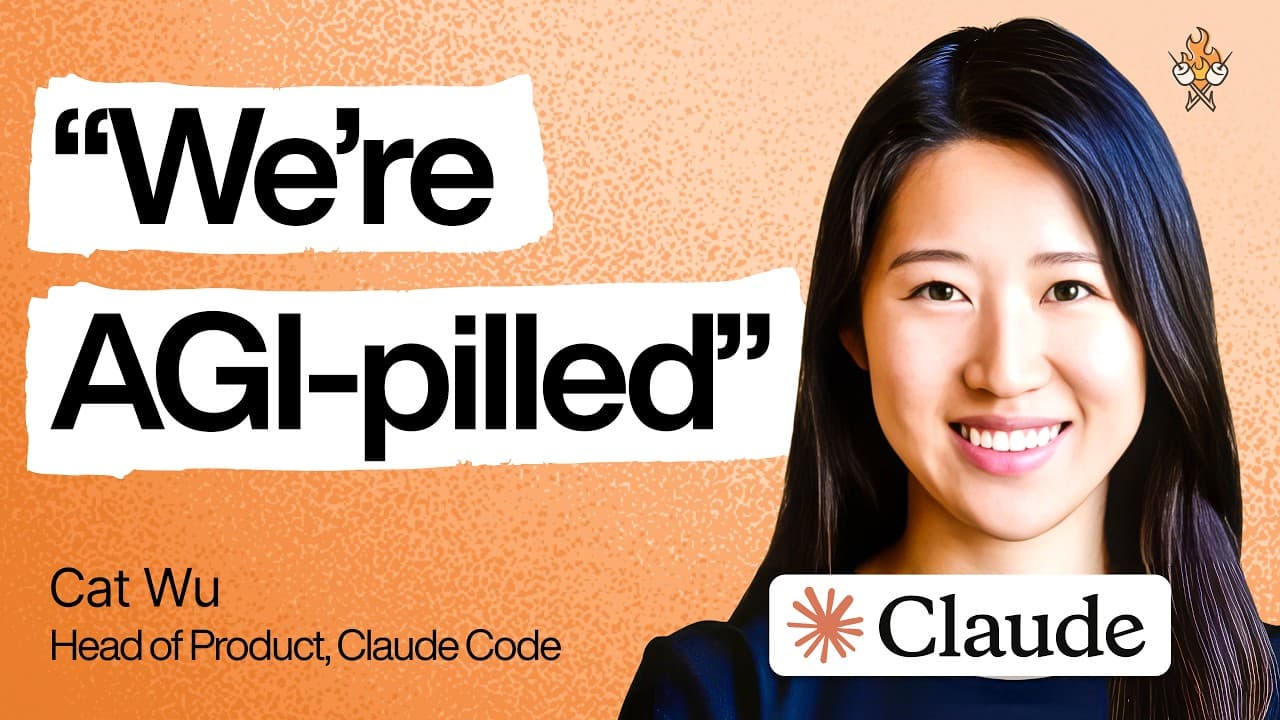
How Anthropic's Product Team Achieves Unprecedented Shipping Speed
At Anthropic, we're operating at a pace I've truly never witnessed before. The product timelines for many features have shrunk dramatically, from six months to just one month, and sometimes even to a single day. This isn't just about building for a future of powerful AGI; it's about constantly extracting the maximum capability from our current models. The landscape for product managers in AI-native companies is shifting rapidly, demanding an almost unbelievable speed of iteration, with features often launching every single week.
The Evolving Role of the AI-Native PM
The core challenge I've observed when interviewing hundreds of PMs is a fundamental misunderstanding of this new reality. Before AI, technology shifts were slower, allowing for 6 to 12-month planning horizons. There was a significant emphasis on coordinating multi-quarter roadmaps with partner teams, largely because code was expensive to write.
From Months to Days: The New Pace of Product Development
With the acceleration of engineering thanks to AI and the continuous improvement of model capabilities, those timelines have collapsed. As PMs, our focus has dramatically shifted: less on elaborate, multi-quarter alignment and more on figuring out the fastest way to get something out the door. We're constantly asking: How can we move from an idea to a user's hands by the end of the week? A key part of this is defining the "most important tasks that need to work out of the box" for our products.
The Primacy of Product Taste
As code becomes significantly cheaper and easier to generate, the value proposition for a PM shifts. The most crucial emerging skill is what we call "product taste"—the ability to decide what to write. This involves discerning the right UX for a feature, identifying the most delightful user experience, and sifting through countless user requests to determine what is truly worth building and how best to build it. While an engineering background offers a useful sense of a feature's difficulty, this skill transcends any single discipline.

Anthropic's Blueprint for Blazing Fast Product Shipping
To facilitate this accelerated pace, we've refined our approach to product development. Our core philosophy is to remove every single barrier to shipping, empowering every team member to take an idea from conception to launch in less than a week, sometimes even a day.
1. Setting Crystal Clear Goals
Given the general nature of Large Language Models (LLMs), there's a lot of inherent ambiguity regarding who we're building for, what problems we're solving, and what the top use cases are. A great PM provides clarity. For instance, we might define a goal like this:
Our key user is professional developers. The main problem that we want to solve for this feature is maybe there's like too many permission prompts and people are feeling fatigue. And like the the use case is we want professional developers at enterprises to safely get to zero permission prompts.
This level of specificity helps rule out many potential approaches and focuses the team's efforts.
2. The Power of Research Previews
A significant enabler of our speed is our approach to shipping. We embrace a "research preview" model:
We actually ship almost all of our features in research preview. We clearly brand this when we ship something so that users know that this is an early product. This is just an idea. This is just something that we're trying to get feedback on and iterating on and that this might not be supported forever.
This significantly reduces our commitment for shipping something, allowing us to get it out in a week or two, gather feedback, and iterate quickly without the burden of full, long-term support from day one.
3. Streamlined Cross-Functional Collaboration
To truly move fast, PMs must establish frameworks that clarify when and how to engage cross-functional partners. We have a remarkably tight process involving engineering, marketing, and documentation:
- When engineers have a feature they deem ready and internally dog-fooded, they post it in our "evergreen launch room."
- Our leads for docs (Sarah), PMM (Alex), and DevRel (Tar and Lydia) then jump in and can turn around the marketing announcement the very next day.
This tightly integrated process drastically lowers the friction for engineers to ship their innovations.
Beyond PRDs: Metrics and Principles
While the traditional Product Requirements Document (PRD) is largely de-emphasized for rapid AI product development, we still utilize a few key mechanisms:
- Rigorous Metrics Readouts: We hold weekly metric readouts with the entire team. This ensures everyone has a deep understanding of our business, key goals, trends, and drivers, fostering a data-driven culture.
- Team Principles: We maintain a clear list of team principles, including who our key users are and why. This empowers team members to make autonomous decisions without constant PM or stakeholder approvals, as they understand the underlying rationale and trade-offs.
- Targeted PRDs: For particularly ambiguous features or projects requiring heavy infrastructure that span many months, we still craft one-pagers outlining goals, delightful use cases, and current failure modes.
The Anthropic PM Team: Structure and Philosophy
At Anthropic, we have a growing team of around 30-40 PMs, organized into several specialized teams:
- Research PM Team: Responsible for gathering customer feedback on our models, channeling it to our research team, and shepherding model launches.
- Claude Developer Platform Team: Maintains the APIs upon which products like Claude Code are built, and releases tools like managed agents.
- Claude Code Team: Focuses on the core Claude Code and Co-work products.
- Enterprise Team: Ensures Claude Code and Co-work are easily adoptable for enterprise customers, handling aspects like cost controls, RBAC, and security.
- Growth Team: Dedicated to growing usage across our entire product suite.

The Merging Roles: Engineers as Product Owners
There's a noticeable merging of roles within our teams. PMs are engaging in some engineering work, engineers are taking on PM responsibilities, and designers are not only PMing but also landing code. Instead of hiring many more PMs, we focus on:
...hiring engineers with great product taste. This way we can reduce the amount of overhead for shipping any product. Like there are many engineers on our team who are fully able to end to end go from see user feedback on Twitter through to like ship a product at the end of the week with almost no product involvement.
This efficiency is paramount. Most PMs on my team have an engineering background or regularly ship code, and even our designers have front-end engineering experience. This shared technical understanding fosters trust and accelerates development.
Why Human Judgment Still Reigns: Prioritization and Common Sense
Despite the increasing capabilities of AI models, human brains remain indispensable for several key functions:
- Prioritization and Vision: As code becomes cheaper, the most valuable skill is deciding what to build. This encompasses determining the right user experience, identifying the most delightful approach, and evaluating the myriad of requests to choose what genuinely aligns with user needs and our strategic goals.
- Tacit Common Sense and EQ: Models currently lack the nuanced common sense and emotional intelligence that humans possess. A human PM understands the complex web of stakeholders, their relationships, preferences, and the appropriate communication channels to keep everyone aligned and onboard. This "tacit common sense like EQ kind of knowledge" is still incredibly valuable.
Navigating the AI Product Development Tornado
Working at the bleeding edge of AI means operating in a state of constant, rapid change. It can feel like being in the eye of a tornado.
Embracing the Chaos with Calmness and Optimism
Our team thrives by leaning into the chaos. We actively seek out individuals who can "face every challenge with a smile," recognizing that stress is a fast track to burnout. It's about acknowledging that things will always be moving, and new P0 issues will constantly arise, but maintaining a calm, optimistic demeanor is crucial. We prioritize ruthlessly, focus on what's most important, and are comfortable with letting less critical things go.
Launching a feature that is buggy is the kind of thing that would have kept me up at night. But it is something that I am now able to like live with knowing that okay, we're going to get that quick feedback and we're going to fix it in the next release.
This mindset, combined with hiring experienced individuals who understand how to sustain their energy, helps us navigate the intense environment.
The Trade-offs of Speed: Consistency and User Overwhelm
While speed offers immense advantages, it comes with trade-offs.
- Product Consistency: Historically, products were carefully planned for consistency. Now, to test ideas quickly, we sometimes launch features that overlap or offer multiple form factors. This means new users might find it harder to discern the single "best path" to accomplish a task, requiring more user education.
- User Overwhelm: The rapid pace of releases can make users feel like they're on an "ever increasingly fast treadmill," constantly checking for the latest updates. We aim to make our tools more self-educating and onboard users more effectively.
Adapting to User Needs: The /powerup Feature
One direct response to user feedback about the overwhelming number of features was the creation of our /powerup feature. Initially, we believed the product should be intuitive enough to not require a tutorial. However, the sheer volume of features and demand for a built-in onboarding experience led us to diverge from that principle. /powerup helps users identify the 10 essential features they absolutely need to use among hundreds.
Harnessing the Power of Claude: Choosing the Right Tool
With multiple Claude tools available, understanding when to use each is key to maximizing productivity.
Claude Code (CLI) for Power and Latest Features
I typically reach for Claude Code in the terminal when I'm:
- Kicking off a one-off coding task.
- Seeking access to all the latest features, as the CLI is our initial product surface and where features often land first.
- Desiring the most powerful interaction for complex coding tasks.
Claude Code (Desktop) for Visual Work and Control
Claude Code on desktop excels for:
- Tasks requiring front-end work, especially with its preview feature, allowing real-time visualization of web apps while chatting with Claude.
- Users who prefer a more graphical interface and are less comfortable with the terminal.
- Providing an at-a-glance control plane to view all your terminal, desktop, web, and mobile sessions.
Claude Code (Web/Mobile) for On-the-Go Tasks
The web and mobile versions of Claude Code are perfect for:
- Kicking off tasks on the go, without needing to be tethered to a laptop. This addresses the common sight of developers trying to work while away from their main setup.
Co-work: Your AI Partner for Non-Code Outputs
Co-work is specifically designed for:
...work that everyone does where the output isn't code. So whether that's like getting to Slack zero or inbox zero or whether that's creating a slide deck for some customer meeting that's coming up or whether that's writing a quick doc on what the goals of a feature are or what the launch plan for a feature is. All these tasks produce outputs that are non-code and co-work is best positioned for that.
My rule of thumb is simple: If the output is code, I use Claude Code (CLI, Desktop, or Mobile). If the output is anything else, I use Co-work.

Co-work in Action: My PM Productivity Booster
Co-work has become an indispensable part of my PM workflow, especially for tasks that traditionally consume significant time.
The Essential First Step: Connecting Data Sources
To unlock Co-work's full potential, the very first thing you need to do is connect your relevant data sources.
Co-work can only do a great job if it has access to all the context that it needs to be able to curate the output for you. So what that means for me is I connect it to my Google calendar. I connect it to my Slack, to my Gmail, to my Google Drive so that it just knows it has the flexibility to find relevant context to ask questions to pull in threads and this this like substantially improves the quality of the result.
By giving Co-work access to my communications and knowledge base, it can contextualize requests and produce highly relevant outputs.
Automating Slide Deck Creation (and Beyond)
One of my favorite Co-work use cases is generating slide decks. For an upcoming "Code with Claude" conference, I needed a presentation showcasing Claude Code's transition from assistant to agent, complete with product examples and internal success stories. Here's how Co-work helped:
- Context Input: I fed Co-work information from my Google Drive, Slack, a draft outline from our product marketer, and my desired narrative.
- Outline Generation: I started with a prompt like this:
Make me a slide deck for the Code with Claude conference. This is what our PMM suggested it should cover. This is the current draft that I made that I don't like. This is one that I made manually that I don't like, but I linked it. Can you start by creating a proposed outline with details? Also, make sure it doesn't overlap too much with a keynote talk, which is more important. - Refinement and Decision: Co-work read the provided links, generated a proposed outline, and presented various ideas. My role as the PM was to review, make the final decision on the outline, and provide feedback (e.g., "it was a little too wordy").
- Design System Integration: To ensure the deck was "incredibly polished" and looked like an Anthropic designer created it, I simply gave Co-work access to our standardized external engagement deck. This allowed it to learn our colors, fonts, and slide formats. You can also connect it to a Figma MCP.
- Final Output: Co-work then went off for a few hours and built a 20-page deck. This process was "far faster than like what I would be able to produce," freeing me to focus on ensuring the demos were amazing. Co-work became a powerful brainstorming partner, synthesizing vast information and presenting possibilities, while I retained the crucial role of making the final product decisions.
The Broader Impact: Custom Tools and Key Token Spenders
Claude Code and Co-work aren't just for PMs; they're transforming workflows across Anthropic.
The Rise of Personalized Work Software
Claude Code has significantly lowered the barrier to creating custom applications. We're seeing a surge in personalized work software built for specific use cases, rather than forcing workflows into off-the-shelf tools. For example, one of our sales team members built a web app that:
- Takes core Claude Code deck templates (101, 201, mastering).
- Allows input of specific customer context, pulling data from Salesforce, Gong, and other notes.
- Customizes decks based on customer's product usage (e.g., Bedrock, Enterprise, Console), concerns (e.g., code review stage), and security needs (e.g., HIPPA compliance).
- Automatically removes irrelevant slides (e.g., Enterprise-only features for non-Enterprise customers).
This turns a 20-30 minute manual task into a few seconds, producing a perfectly tailored deck.
Applied AI: A Force Multiplier for Customer Adoption
Beyond engineering, our Applied AI team is the second-largest consumer of tokens. This team plays a crucial role in helping customers adopt our latest API and model features for both their products and internal acceleration. They are "amazing at pushing the boundaries of what Claude Code and Co-work can do," by:
- Rapidly prototyping solutions for customers using Claude Code.
- Managing extensive customer communications, inbound requests, and historical context notes, making them heavy Co-work users.
They often use Co-work the night before meetings to summarize upcoming customer engagements and identify relevant information. Essentially, they are highly technical go-to-market specialists leveraging AI to scale their impact.
Actionable Takeaways
- Embrace Speed: Re-evaluate your product development timelines. If you're not shipping at least weekly, you're likely moving too slowly for the AI era.
- Prioritize Product Taste: Cultivate the skill of deciding what to build and how to build it for maximum user delight. This is more valuable than ever.
- Streamline Cross-Functional Workflows: Identify and remove barriers to shipping. Create tight, repeatable processes for collaboration between engineering, marketing, and docs.
- Leverage Research Previews: Don't wait for perfection. Ship early, gather feedback, and iterate rapidly using branded "preview" features.
- Connect Your AI Tools to Your Data: For non-code tasks, link tools like Co-work to your calendar, email, chat, and document storage to provide essential context and dramatically improve output quality.
- Focus on a Unifying Mission: A clear mission helps teams make faster, more aligned decisions, even if it means sacrificing individual product goals for the greater organizational success.
- Cultivate Resilience and Calmness: The pace of change will only accelerate. Develop strategies to prioritize, let go of perfection, and maintain your energy and optimism amidst the chaos.