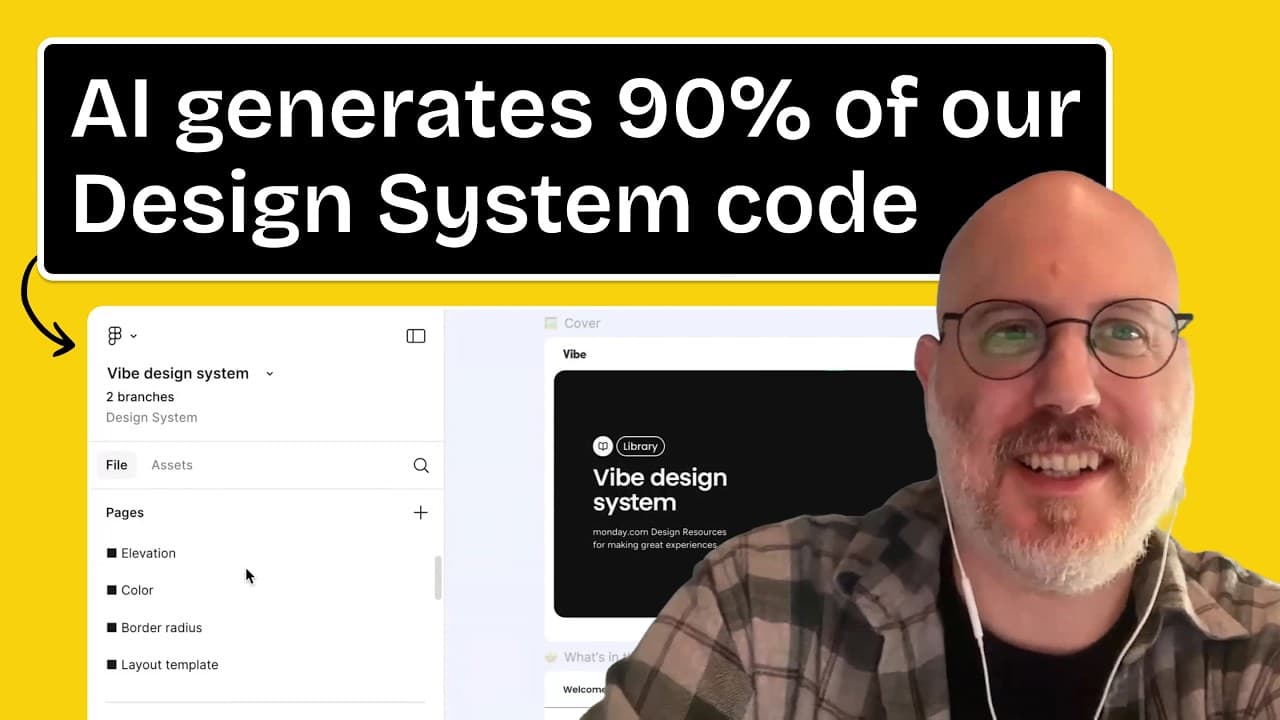
How Monday.com Uses AI to Revolutionize Design Systems with Elad from monday.com
I recently had the incredible opportunity to dive deep into how monday.com is leveraging AI to transform their design system workflow, thanks to a revealing interview with Elad, a Design Systems Lead at the company. This isn't just about minor tweaks; it's about a fundamental shift in how designers and developers collaborate, moving from manual, annotation-heavy handoffs to an AI-powered, highly efficient system. As someone deeply interested in design systems, I was absolutely stoked to learn about their approach and how they're tackling the complexities of building and maintaining a large-scale design system with the help of tools like Cursor AI and their own internal solutions.
The Era Before AI: A World of Manual Handoffs
Before monday.com integrated AI into their design system process, the workflow was familiar to many design system teams – and fraught with common challenges. Elad described a landscape characterized by:
- Extensive Hand-offs: A significant amount of time was spent on hand-offs between designers and developers.
- Communication Bottlenecks: With design system teams often being smaller than the overall design team, there were many components waiting in the pipeline, leading to "a lot of communication" and "back and forth" between teams.
- Detailed Annotations: Design specifications, like for a dropdown component, involved "a lot of notes, a lot of things that we need to show." This included precise details like:
"Make sure that the gap is two pixels." This manual annotation was prone to errors, with developers sometimes missing "the background color" or other crucial details.
- Long Documents: Handoff documents could be "very long," filled with annotations to ensure developers understood "every part" and built "all the states of the component."
This manual approach was time-consuming and inefficient, acting as a bottleneck for component delivery.
The Paradigm Shift: Writing for AI, Not Humans
The introduction of AI marked a significant departure from this traditional method. Elad explained that while they still write specifications, the audience has changed:
"Now it's just like a simple document. It can be as long as we want. We can we still write it but instead of writing for a person we write for AI."
This means focusing on what AI needs: explicit, technical details, rather than relying on a human's contextual understanding.
"AI like a person can miss out of things that AI don't miss. What cars are what tokens are we using and AI don't know context that the person might have."
For example, when preparing designs for AI, they make "all the spacings are visible. It helps the AI... to see the spacing in cursor." The new documentation is "very short, it's very concise, it's very technical."
Tools and Techniques Powering monday.com's AI Design System
Monday.com employs a suite of tools and processes to make this AI-driven workflow a reality:
Figma MCP
One of the foundational tools mentioned is Figma MCP. Elad highlighted its utility:
"Figma MCP helps us a lot to get a screenshot to get the code to connect with code connect to the components."
This tool aids in extracting visual and structural information from Figma designs, preparing them for AI consumption.
Internal VS Code Extension & Specification Generation
Monday.com has developed its own internal VS Code extension. This tool is crucial for transforming Figma designs into AI-ready specifications:
"We have a VS code extension internal team tool that we can just copy and paste the Figma link into and it creates like a specification for us."
This extension analyzes the Figma file, studying the design to generate a structured specification. This specification then serves as the primary input for AI tools.
The generated specification is not set in stone; designers can iterate on it:
"You can just prompt it and make fixes and make sure as a designer as everyone you can make sure that the specifications is what you meant. So sometimes you can see that it misses things and you can just go back to the end off and fix it. Do small fixes."
The Role of Specifications in Cursor
The specification acts as a detailed plan for how a component should be built, essentially simulating the detailed discussions that would typically occur in a meeting with a developer.
"what it does it's showing me the plan of how the developer would if we had like this conversation with the developer." "It would be an entire meeting. We show the specification and then we say this is the specification. Then we have a Q&A."
This AI-generated specification significantly reduces the need for manual Figma updates and extensive meetings. Elad noted that it creates "90 or 80% of the code just working" and "available in storybook."
monday.com's "Vibe" Design System
The core of monday.com's component library is their Vibe design system.
"Vibe the library is an open source library and anyone can go there and the community can contribute."
The goal is to maintain high code quality and consistency. The specification, combined with AI, ensures new components adhere to these standards:
"So the specification what it does it's creating the consistency and the quality that we want in Monday. So it is aware of our design library of our previous components."
Vibe includes:
- Color tokens
- Visuals and illustrations (with an illustration library)
- Buttons, links, and other basic components
Elad emphasized that they're not just looking for "working code," but "mundane design system code." This means the code must integrate seamlessly with their existing library, often building compositions from smaller, pre-existing components like "the empty state it's a bunch of other components."
Cursor Rules: Directing the AI Agent
A critical element in customizing AI behavior at monday.com are Cursor Rules. These are essentially pre-defined instructions that guide the AI agent.
"Cursor rules are things that you can direct the agent to work in a specific way. So cursor rules are just like a tool in cursor that we utilize for advantage."
These rules are stored in a simple folder structure, acting like a library of sophisticated prompts:
"a cursor rule is like a prompt that you can put in cursor. It's just a folder. You see it's cursor rules and you can put like a bunch of rules. So accessibility guidelines, storybook stories."
When Elad prompts Cursor to create a component, the agent injects these rules:
"When I prompt cursor to create a component for me, it takes the rules and inject them into the agent."
These rules cover various aspects:
- Component Structure: "rule component internal structure like it needs to know how we structure components in vibe."
- Styling Guidelines: "how do we style components."
- Storybook Stories: "how we write stories, how we structure the stories and how the stories should be written."
- Accessibility Guidelines: Ensuring generated code is inclusive and compliant.
This allows the AI to create a comprehensive plan, including "writing tests, it's writing types," all structured according to monday.com's specific standards.
Accessibility Guidelines
Elad specifically detailed some of the accessibility rules they've embedded:
"You need to follow like the wag the WCAG guidelines and you need to semantically and use HTML. You need to if it's a button don't just use divs." "all of our rules are available like in vibe.mday.com and people just can go and read rules in GitHub, can read in a storybook and we have all our use area when necessary. Don't abuse area. These are like valid area. Make sure that when you're creating components they're accessible, they are valid. There are you have keyboard navigations, you have logical tab order, like all the things that you need to make sure we prompt the agent to just follow."
The Vibe Design System: Figma and Storybook
Monday.com maintains its Vibe design system in two primary locations:
- Storybook: Publicly available at
vibe.mday.com, offering documentation, components, and tools like a playground. - Figma: A comparable version mirroring the Storybook, ensuring consistency between design and development.
The goal is to avoid duplicating work: "we don't want to do things like twice. So we can just create the commentations and it creates a story book for us."
Benefits of AI-Generated Code
The most striking benefit is the speed and efficiency AI brings:
- High Code Generation Percentage:
"it depends on the complexity of the component but generally like 70% like is a good number sometimes like empty states like simple components like an empty state or we did wherever I can show you the new ones so we have the info component it was created like 90% by AI."
- Engineers Focus on Tooling, Not Boilerplate: Instead of writing every line of component code, engineers can dedicate their time to building the sophisticated AI tools, rules, and extensions that automate the repetitive work.
"Our engineers are taking care of all the tooling that I showed you was created by our engineers. So our engineers just trying to improve our code."
- Increased Team Efficiency: Monday.com's design system team is relatively small (3 developers and 3 designers supporting 70 designers and thousands of developers). AI allows them to deliver components much faster.
"we work a lot quicker and we can be this small team. Even when Monday grows, we can still like keep the team size relatively small to our organization."
- Focus on Complex Design System Work: Automating routine tasks frees up the team to tackle more complex design system challenges, such as "documentations for patterns" and "more complex design system like thinking."
- Automating Repetitive Tasks:
"it frees up like us to do like more complex design system like thinking and all the execution is just AI and it's something that is in the it's in the interest of our developers and the designers like everyone in our team are is really excited to just let AI take all the stuff that we do that is like just dayto-day day really just takes time. It's not that difficult. It's not that complex. It's just it takes time of the day. So we want to automate like every part of our flow which is like repeating."
Live Demonstrations: Modifying Components with Cursor
Elad provided two live examples of how Cursor can be used to modify components, showcasing both its power and the current limitations.
Changing Component Styling (e.g., Tooltip Color)
The first example involved changing the background color and text color of an "info component" (similar to a tooltip).
- Initial Prompt:
(Note: "inverse color" was used as "black color" wasn't available in their system).can you replace the background to [inverse color] - Addressing Text Color (Iteration): The background changed, but the text color needed adjustment.
can you change the text to on inverse as well - Providing Visual Context: When the AI struggled, Elad emphasized the importance of context, including screenshots.
"So this is why we do all the rules. Like I showed you all the rules. I showed you all the specifications. So AI needs a lot of context to work."
While the live demo faced a slight hiccup due to a specific component override, Elad underscored the overall speed:
"But I would say that you probably spent like the last maybe max 5 minutes with me and now you got it working. But if you had to do with prototypes and try to get everything right, it might have even taken you longer."
He also noted that AI performs better with new components rather than fixing older, more complex ones:
"we are seeing better results in new components and we are working on tooling on existing components... AI is better in in like in code in like new code than in fixing like existing code especially like in very old like vibe exists like for I think where exists we exist for four years give or take."
Replacing Visuals in an Empty State Component
The second demo involved changing the illustration within an "empty state" component, a common task that used to involve manual hand-offs.
- Starting with the Component: Elad navigates to the
empty state componentin Cursor. - Prompting for Visual Replacement:
Can you replace the visual on the empty state for to this one - Dragging and Dropping the New Visual: Elad simply drags and drops an SVG (or PNG after an initial error) into the Cursor chat.
- Providing Context (Optional but helpful): Tagging the relevant
empty state storiesgives the AI more context.
The AI successfully replaced the image in the Storybook. This streamlines a task that used to be a "simple replacement" but, when done manually, could become cumbersome due to the sheer volume of such requests.
"we used to just open a ticket and we said replace it and now because we can just like tell cursor to do it like most of the time we'd add to do the same thing manually."
This allows designers to quickly iterate on visuals, animations, and different examples without constantly engaging developers.
Maintaining Quality and Consistency: Human Oversight is Key
Despite the automation, monday.com maintains strict quality control and consistency. AI is a tool for speed, but not for autonomous decision-making.
- Approval Process Remains:
"The code is still needs to be approved by one for developers. every design you open a branch in Figma. When you want to do design changes for our components in Figma, you open a branch, you do a review. So all the processes are still like in line."
- GitHub Branching and Pull Requests: All code changes, whether AI-generated or manual, go through the standard development workflow.
"It's the same thing. It there is branching is from development. We have like our open-source vibe on GitHub... Every time you want to approve something, you need to do a pull request. You open a branch, you do a pull request and then we need to approve. It needs to have tests. It needs to go like all the quality checks are still in check."
- Local Changes First: The changes demonstrated in Cursor are initially local to the developer's machine.
"all these changes that I showed you are locally in my machine. So after I finish and I'm happy with it, I can just push it to GitHub and let our developers look at it and approve it."
- Design System Governance:
"AI is like a very good tool to just do quick changes to see you have like immediate feedback but we as a design system team we want all of money to be consistent. So the changes are quick but they need they still need to be approved by a person."
Community Rapid Fire Questions
The interview concluded with rapid-fire questions from the Sneak Peek design community.
1. Designer vs. Developer AI Usage
Grace asked about the difference between how designers and developers use AI and their collaboration.
"Currently uh we are working on involving our designers more in the code process but as I said before like there are a lot of like barriers of knowledge knowing GitHub knowing how to open a PR. What will be the difference between our designers and the developers. So designers, we are starting to do like a lot of work on teaching designers how to work with code, how to do all these processes of quality, how to make sure that we can improve it. We have a long way to go for designers to just push code into Vive, but it's there. We are building the tools and as you see, it's very quick. You don't need to write anything but we still make sure that a developer sees like every features that enters Monday every feature that enters by."
The goal is to empower designers with code, but developers still hold the final approval on code pushes.
2. Accuracy Percentage of AI-Generated Components
Umesh inquired about the accuracy percentage of AI-generated components.
"So it depends on the complexity of the component. I touched on it like earlier. So a very complex component it will be like I think 70% there we have like good numbers it depends like on the complexity of the component of the endoff of the accessibility issues at end but most components can be like 70 to 90% like ready and then our developers take it from there."
This means AI handles a significant portion, but human developers fine-tune and complete the work.
3. Review Process for AI-Generated Components
Umesh's second question asked about the review process for AI-generated components.
"Cursor is reviewing the component by itself, but we don't rely on it. We still do manual design reviews every time. We still do manual code reviews every time. We check that the code is secure, is quality. We check that the designs work perfectly. We don't want to just rely blindly on AI."
While they use AI for "an AI design review process for features" (end-to-end flows), components are still manually reviewed to ensure quality, security, and adherence to design specifications.
Actionable Takeaways
My main takeaways from monday.com's approach to AI in design systems are:
- Shift from "Human-first" to "AI-first" specifications: Tailor your documentation and design assets to provide explicit, structured context for AI tools, rather than relying on human inference.
- Invest in Custom Tooling: Developing internal extensions and rules (like Cursor Rules) is key to integrating AI seamlessly into a specific design system and codebase, ensuring generated code meets unique standards.
- Automate Repetitive Tasks, Free Up Expertise: Use AI to handle the 70-90% of boilerplate and simple component creation, allowing designers and engineers to focus on complex problem-solving, strategic design system work, and intricate patterns.
- Maintain Robust Human Oversight: AI dramatically increases speed, but critical human review processes (design reviews, code reviews, PRs, branching) remain non-negotiable for quality, consistency, accessibility, and security.
- Empower Designers with Code (Gradually): While a developer's final approval is crucial, creating user-friendly AI tools can help bridge the gap and involve designers more directly in the component development process.
- Context is King for AI: The more structured context, rules, and visual examples you feed the AI, the better and more accurate its output will be.
Monday.com's journey illustrates that AI isn't just a futuristic concept for design systems; it's a powerful, present-day reality that can fundamentally change how teams operate, enabling smaller teams to deliver high-quality work at an unprecedented scale.