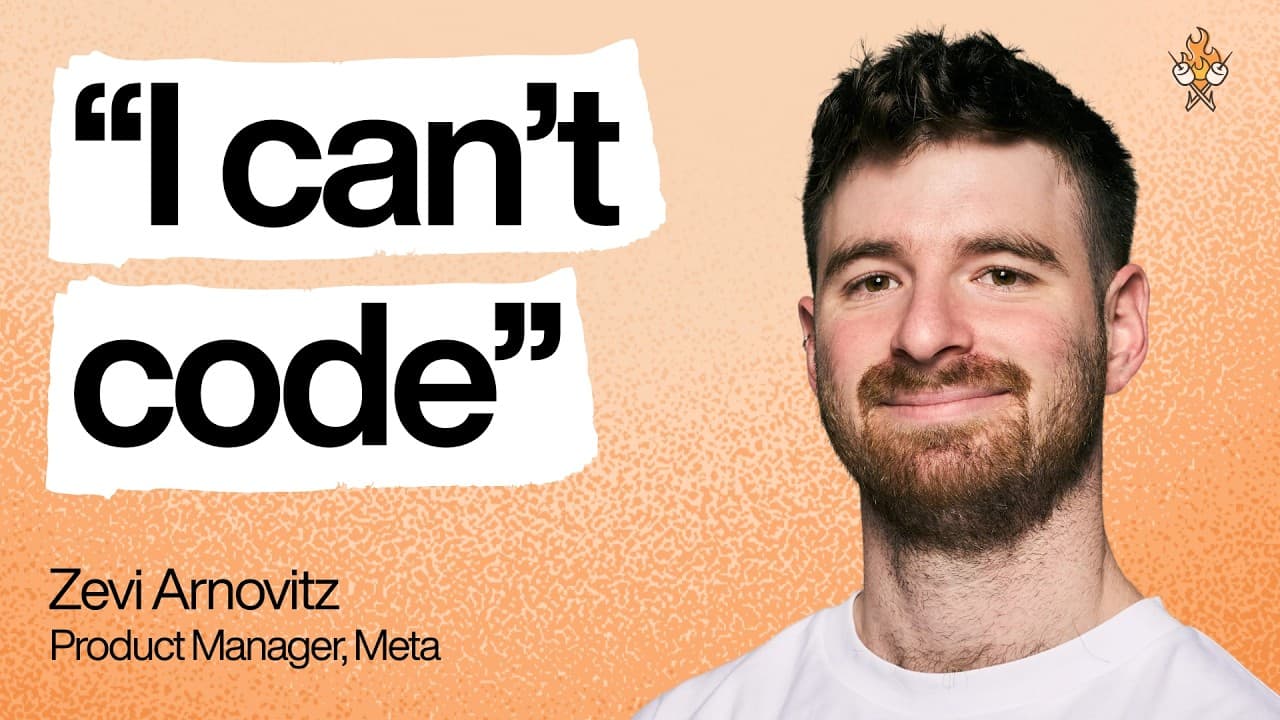
How a Meta PM Ships Products Without Ever Writing Code: A Deep Dive into Zevy Arnovitz's AI-Powered Workflow
I recently had the incredible opportunity to witness Zevy Arnovitz, a Product Manager at Meta with zero technical background, unveil his revolutionary approach to building and shipping real products using AI. The insights he shared on Lenny's Podcast were truly remarkable, challenging the conventional wisdom that you need to be a coder to create. Zevy, who comes from a music background and didn't even serve in a tech unit in the army, described the moment he discovered AI building tools as if "someone came up to me and said, 'Hey Zevie, there's this cool new technology you should check out. Um, you should really give it a try. Oh, and by the way, you have superpowers now.'"
His journey began a year ago, when he first encountered tools like Bolt or Lovable and immediately felt the shift. This isn't just about using AI as a helper; it's about fundamentally changing how non-technical people can build. As Zevy aptly put it, echoing a common refrain, "It's not that you will be replaced by AI. You'll be replaced by someone who's better at using AI than you."
This conversation wasn't about admiring Zevy's prowess, but about empowering us to build. As Claude wisely advised Zevy when prepping for the episode: "If people walk away thinking how amazing you are, you failed. And if people walk away and open their computer and start building, you've succeeded." My goal here is to make sure you succeed.
Let's dive into Zevy's ingenious workflow that he's generously shared, complete with the exact prompts and commands that anyone can replicate.
The Foundation: From GPT Projects to a "Virtual CTO"
Zevy's initial foray into AI-powered building started with what he calls "projects" – shared folders of chats in GPT or Claude that include custom instructions and a shared knowledge base. He found this crucial for compartmentalizing AI interactions, especially when GPT's memory feature started mixing up his diverse life contexts (e.g., running advice bleeding into product reviews).
Early on, Zevy noticed that many AI coding products were "super eager to write code," with system prompts like "you're a coding agent." While exciting initially, this led to problems when tasks became complex, especially involving database changes or payments. Without proper planning, this eagerness resulted in "really gnarly bugs."
To mitigate this, Zevy engineered a brilliant solution: he created a "virtual CTO" with a custom prompt.
"I created a CTO with the custom prompt of it. Uh being the complete technical owner of the project. So I told it I own the problem. I own how we want the users to feel. You're the complete owner um of how this is going to be built. I want you to challenge me. I don't want you to be a people pleaser."
He humorously described regular ChatGPT as potentially "the worst CTO because it's such a people pleaser and it's so sickopantic." He recounted an instance where GPT agreed that "Bun JavaScript" was similar to "Zustand" (they're not) and then confessed, "Oh, I'm Sorry, I thought you were just making this up and I was riffing with you." This experience cemented his need for an AI that would challenge his assumptions, not just agree.
This virtual CTO, initially a GPT project, evolved. While Zevy doesn't involve GPT anymore in this specific role, the underlying principles of structured interaction and critical thinking are now ingrained in his current tools and prompts.
The Gradual Path: Exposure Therapy for Non-Technical Builders
For anyone feeling intimidated by code, Zevy offers excellent advice: "If you're nontechnical like me, code is terrifying. It's the scariest thing in the world to look at." His approach is akin to "exposure therapy":
- Start Slow with a GPT Project: Use its "beautiful UI, super simple" interface to converse and learn in a chatbot environment, not directly writing code.
- Graduate to Tools like Bolt or Lovable: These offer more direct building capabilities while still abstracting some complexity.
- Finally, Move to Cursor in Light Mode: Gradually ease into a more developer-centric environment, eventually progressing to "full dark mode, go full dev."
Zevy's current stack is Cursor with Claude Code powering it. He transitioned from earlier tools like Bolt and Lovable because he "outgrew" them, finding them too opinionated when he needed more control for complex features like connecting payments. He highlights that "code is just words at the end of the day," meaning you can work on the same project across different apps and models.
The "CTO" role now lives within Cursor, powered by Claude Code. Zevy has a claude.md file that acts as the system prompt for Claude, defining their workflow and instructing it to "challenge my thinking" during the exploration phase.
Zevy's 6-Step AI-Powered Product Development Workflow
Zevy has developed a highly effective, repeatable workflow using custom slash commands within Cursor. These commands are essentially reusable, context-rich prompts that streamline the entire product development process. He's making these available for download, so you can start using them immediately!
Here's the breakdown, demonstrated with a live example of building a "fill-in-the-blank" question feature for his app, Studymate:
Step 1: Create an Issue (Linear Integration)
When an idea or bug strikes him mid-development, Zevy uses a slash command to quickly capture it.
Slash Command: /create issue
Prompt Logic:
The user is mid development and thought of a bug or a feature and improvement. Capture it fast so they can keep working. [Then it specifies a Linear issue format, including TLDDR, current state, expected outcomes, context.]
This command injects the prompt into Claude, which then asks clarifying questions before using its tool access (MCP - Anthropic's tool-use technology) to create a ticket in Linear.
Example: Zevy dictated:
"I want to add fill-in-the-blank questions to Studymate. Uh, I want this to be 30% of tests to be generated as fill-in-the-blank questions. I want there to be six potential answers uh for two blank spots. And of course, there's only going to be two correct answers. So, one correct answer and two incorrect answers for each spot. And I want the interface to be drag and drop."
Claude followed up with questions about question structure, priority, etc., then created a Linear issue (e.g., "STU88: Fill in the blank questions with drag and drop interface") complete with a TLDDR, current state, expected outcomes, and context.
Zevy clarifies that for a solo builder, these tickets are "pretty quality" and serve as a "beginning of an idea" rather than a fully specced-out task.
Step 2: Exploration Phase
Once an issue is picked up, Zevy initiates the exploration phase.
Slash Command: /exploration phase + linear stu 88 (or the relevant ticket ID)
Prompt Logic: The prompt tells Claude that "we're going to only explore what we want to solve here." It can pull from Linear or take free-form input. Claude's goal is to "analyze and understand the issue and just ask clarifying questions."
This phase is critical for the AI (acting as the CTO/engineering manager) to deeply understand the problem, the current state of the codebase, which files might be affected, and the best technical implementation strategy. Claude reads relevant files, grasps the code structure, and then returns with "a bunch of clarifying questions" that will shape the implementation. Zevy emphasizes spending "a lot a lot of time going back and forth and understanding" during this phase.
Step 3: Create Plan
After thorough exploration and answering Claude's clarifying questions, it's time to generate a plan.
Slash Command: /create plan
Prompt Logic: This command instructs Claude to "create a markdown file that will be the plan," following a specific template. The template includes "clear, minimal, concise steps," a status tracker for each task, a TLDDR, critical decisions, and the plan itself.
This markdown plan is versatile:
- It serves as a clear blueprint for execution.
- It allows for splitting work, e.g., using Cursor's Composer model for simple tasks, or Gemini 3 for UI/frontend work (which Zevy notes is "unbelievable at UI").
- It becomes part of the application's internal documentation, providing context for future AI agents working on that area.
Step 4: Execute Plan
With a detailed plan in hand, Zevy moves to execution.
Slash Command: execute + tagging the plan file (e.g., execute [plan.md])
Zevy often uses Cursor's Composer model for this step due to its speed. "Composer is ridiculously fast," he notes. "It basically understands what the plan is and it's going to go ahead and start writing the code." A feature that might take human engineers days or weeks can be built in minutes, costing "a couple bucks in AI credits" (which Zevy views as "tuition" for learning).
He contrasts this with earlier tools like Bolt or Lovable, which he found "very opinionated" and offered less control over complex technical decisions, acting more as a "harness" over the underlying models. Cursor, by contrast, gives him direct access to the model's capabilities and decision-making power.
Zevy describes these moments as "time machine moments," where he can work on multiple complex projects in parallel (e.g., localizing Studymate, building a personal site, prepping for the podcast). "There was a point where basically all three of the agents were running. So I didn't have anything to do. I just had to let them think."
Step 5: Review and Peer Review
This is arguably one of the most innovative parts of Zevy's workflow, directly addressing the challenge of reviewing AI-generated code, especially for non-technical individuals.
"Writing code is now so easy. The main challenge people have is reviewing the code that AI has written."
Zevy's multi-layered review process:
-
Manual QA: He first manually tests the feature running locally to catch any obvious mistakes.
-
Self-Review (Claude): Slash Command:
/reviewThis tells Claude to review its own work, identifying bugs (critical, high, medium). -
Cross-Model Review: Zevy then has other models review the same code. He typically uses:
- Codeex (GPT's model): He'll issue a general command like
review all the code in this branch. - Composer: He'll also use
/reviewwith Composer. These models, with their distinct characteristics, "are all going to catch different things and they're all going to look differently."
- Codeex (GPT's model): He'll issue a general command like
-
Peer Review (Claude as Dev Lead): This is where Zevy's "mental model" of AIs as people truly shines. He takes the findings from the other models and feeds them back to Claude.
Slash Command:
/peer reviewPrompt Logic:
You're the dev lead on this project. Other team leads within the company have looked at your code and reviewed it and found these issues. Don't take what they're what they said at face value. The reason is you have more context than them and you led this project. You need to either explain why the stuff they found are not real issues and wrong or fix them yourself.He describes the distinct "personalities" of the models:
- Claude: "The perfect CTO... very communicative. She's very smart. Um she she doesn't just go with the flow and do whatever you tell her. She's very um opinionated, but also super collaborative."
- Codeex (GPT's model): "The best coder within the company who comes to the office like with uh a hoodie and sandals and sits in a dark room and you basically only bother him when you have the worst bugs... really not communicative but it solves all the worst problems."
- Gemini: "A crazy scientist who's super artsy, uh, super talented at designing, but if you sit next to it and watch it work, it's terrifying... like you'll say, 'uh, I want you to redesign the top of the dashboard' and and you're looking at its thought process and it will say, 'oh, first things first, I'll delete the dashboard.' And then it'll be like, 'nope, that was a mistake. I'll bring it back.' ... but at the end of the day, Gemini is very good at design."
By having models "fight it out," Zevy leverages their strengths and mitigates weaknesses, ensuring a robust review process.
Step 6: Update Documentation
The final crucial step, often overlooked, is continuous improvement of the AI's "brain."
"Updating documentation and tooling is one of the biggest hacks for productivity."
When Claude (or any model) fails or makes a mistake, Zevy doesn't just fix the code. He asks the AI to introspect:
"What in your system prompt or tooling made you make this mistake?"
Once Claude identifies the root cause, Zevy instructs it:
"Okay great, let's update your tooling and documentation so that this mistake never occurs again."
This iterative feedback loop means his AI agents "keep getting smarter and smarter." He constantly refines his slash commands, prompts, and internal documentation, which he believes "divides between people who are like okay with using AI and the people who actually know how to use it." He also uses a /learning opportunity slash command to learn about complex technical concepts from Claude, explaining things using the "80/20 rule" from the perspective of a "technical PM in the making."
The Future of Building: Anyone Can Be a Builder
Zevy's workflow is more than just a set of commands; it's a testament to a new era where "titles are going to collapse and responsibilities are going to collapse." He believes it's "the best time to be a junior," because "when else in history could you get out of school and just build a startup on your own?"
The ability to "fling models" – using Gemini for UI, Claude for logic, Composer for speed – and orchestrate them through a well-defined process, all from a non-technical background, is profoundly empowering.
Key Takeaways for Aspiring AI Builders
- Embrace "Exposure Therapy": Start small with AI chatbots for technical conversations, then gradually move to more advanced coding environments. Don't be afraid to look at code.
- Build Your "Virtual CTO": Whether it's a dedicated project or an ingrained system prompt, create an AI that acts as your technical sparring partner, challenging your ideas and planning robust solutions.
- Structure Your Workflow with Slash Commands: Automate common tasks (issue creation, planning, review) with reusable, context-rich prompts. Zevy's commands are a fantastic starting point.
- Leverage Model Strengths: Understand the "personalities" and capabilities of different AI models (Claude for collaboration, GPT for tough fixes, Gemini for design) and use them strategically for specific tasks.
- Implement Multi-Model Peer Review: Don't just rely on one AI. Have multiple models review each other's code, then use a "dev lead" prompt to synthesize feedback and iterate.
- Prioritize Continuous Learning and Documentation: When an AI makes a mistake, ask it to reflect on the root cause and update your prompts, system instructions, or internal documentation. This makes your AI tools progressively smarter and more reliable.
Zevy's journey and workflow demonstrate that the barrier to building is rapidly dissolving. With curiosity, optimism, and the right approach to AI, anyone can become a builder and ship real products. So, open your computer, download those prompts, and start building!